


Spot tax job category changes before you approve
A Tax Job Category (TJC) determines how a contingent engagement is taxed, classified, and billed. When a TJC changes after a candidate offer or fixed-price milestone payment is submitted for approval, you are notified by an informational banner in Beeline Classic and the Hiring Manager Experience.
Because changes to a TJC can affect taxation, worker classification, and billing, it's important to review them before completing an approval. The banner displays both the original and updated TJC values, giving you visibility into any changes and their potential impact.
Since the banner is informational only, you can continue the approval workflow without interruption while making a more informed approval decision.
To learn more about Tax Job Categories and how they're used to determine taxation, classification, and billing, see Designating tax job categories.
Jump to what you want
Why it matters
- Tax Job Category helps determine how a contingent engagement is taxed, classified, and billed.
- Tax Job Category values can change between the original request and the final approval step.
- Approvers can immediately identify changes that may affect tax treatment or billing.
- Additional visibility helps reduce the risk of approving a record with an unexpected classification change.
Who it's for
- Hiring managers involved in approval workflows
- Project managers responsible for contingent workforce engagements
How it helps
- Highlights Tax Job Category changes during approval.
- Displays the original and updated Tax Job Category values in a single message.
- Increases visibility into supplier updates that may affect taxation, classification, or billing.
- Supports more informed approval decisions.
- Preserves workflow efficiency because approvals aren't blocked.
What's included
| Feature | Benefit |
|---|---|
| Candidate offer warning banner | Alerts approvers when the Tax Job Category on an offer differs from the original request. |
| Fixed-price milestone payment warning banner | Alerts approvers when the Tax Job Category on a milestone payment differs from the originating milestone. |
Prerequisites
- Tax Job Categories are configured for applicable engagements.
- The Tax Job Category change warning banner feature is enabled for the approval step.
How it works
- View a warning banner when the Tax Job Category on a candidate offer or milestone payment differs from the original value.
- Review the original and updated Tax Job Category values displayed in the banner.
- Evaluate potential tax, classification, or billing impacts before making an approval decision.
- Access the same warning information in both Beeline Classic and the Hiring Manager Experience.
- Complete the approval process because the banner is informational only and doesn't block approval.
The warning banner is advisory only and doesn't prevent approval.
How to steps
Information in this article reflects a standard Enterprise configuration. Your Enterprise platform is based on your organization’s configuration. Settings and/or data visibility rules may vary slightly from what is described.
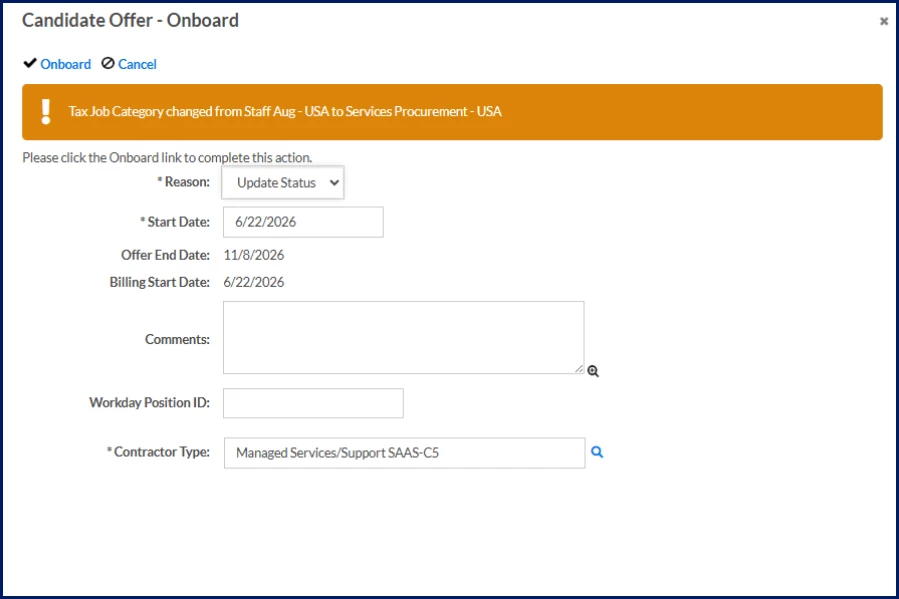
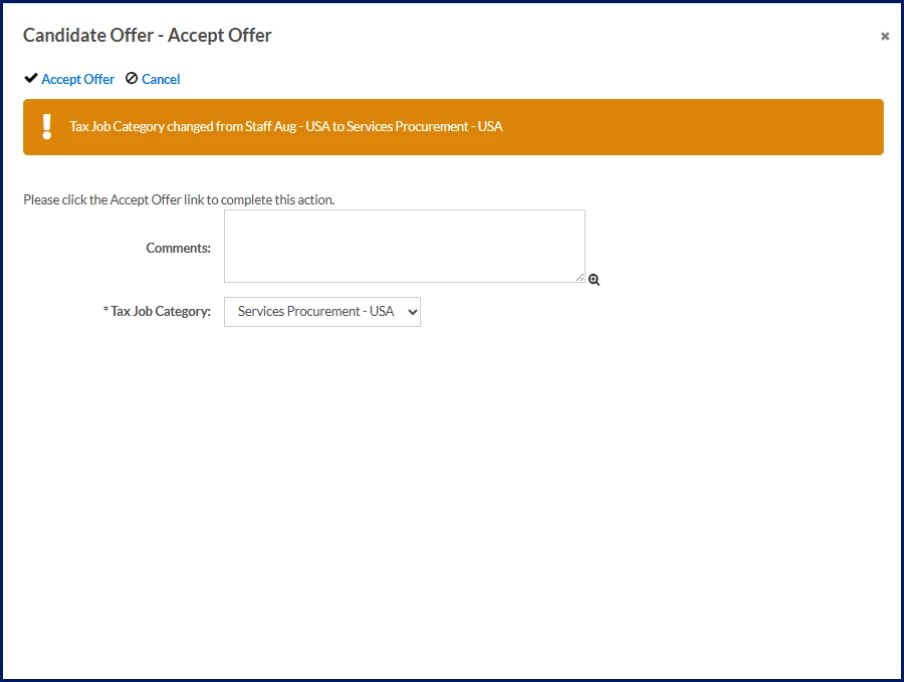
Review a Tax Job Category change during candidate offer approval
When a supplier changes the Tax Job Category between the original requisition and offer acceptance, a warning banner displays during offer approval.
The banner includes:
- The original Tax Job Category
- The updated Tax Job Category
- The Tax Job Category change
Approvers can use this information to validate the change before approving the offer.
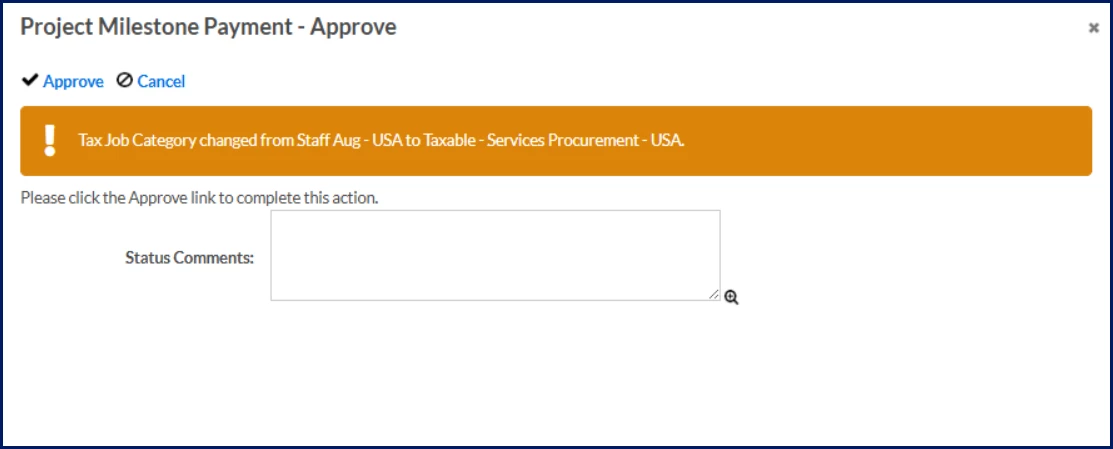
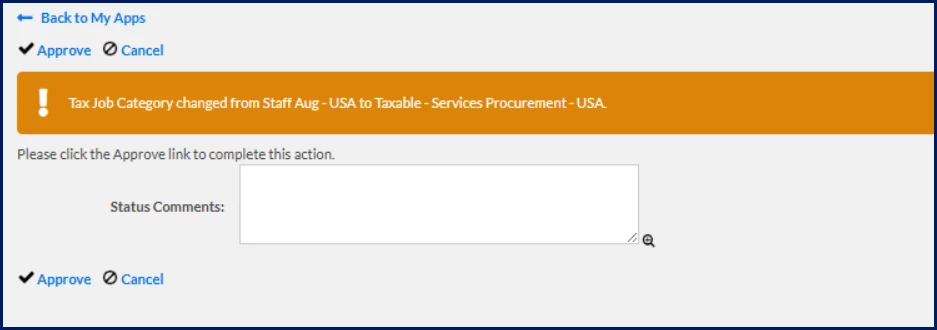
Review a Tax Job Category change during milestone payment approval
When the Tax Job Category on a milestone payment differs from the originating milestone, a warning banner displays during milestone payment approval.
The banner includes:
- The original Tax Job Category
- The updated Tax Job Category
- The Tax Job Category change
Approvers can use this information to validate the change before approving the milestone payment.
What to do when a banner displays
- Review the original and updated Tax Job Category values.
- Confirm the change aligns with the engagement and services being provided.
- Evaluate any potential tax, classification, or billing implications.
- Follow internal review processes if additional validation is required.
- Approve or take appropriate follow-up action.
| Persona Clients, hiring managers, program office users | Modules Contingent Staffing Services Procurement | Documentation release Beeline Enterprise | Q2 2026 | Feedback? Email us: |