


Table of Contents
Reports
There are two tabs in the Reports app. One is a collection of reports you create yourself (Favorites) and the other is a list of system reports (All Reports). The Favorites list is unique to YOU. Any report listed under the “All Reports” tab can be saved to your Favorites list. From your Favorites list, you have the option to <Edit> the report if you want to modify it from the original (system created) version. The modified report can be saved as a new Favorite, shared with other platform users, or even set up as a scheduled report.
Favorites
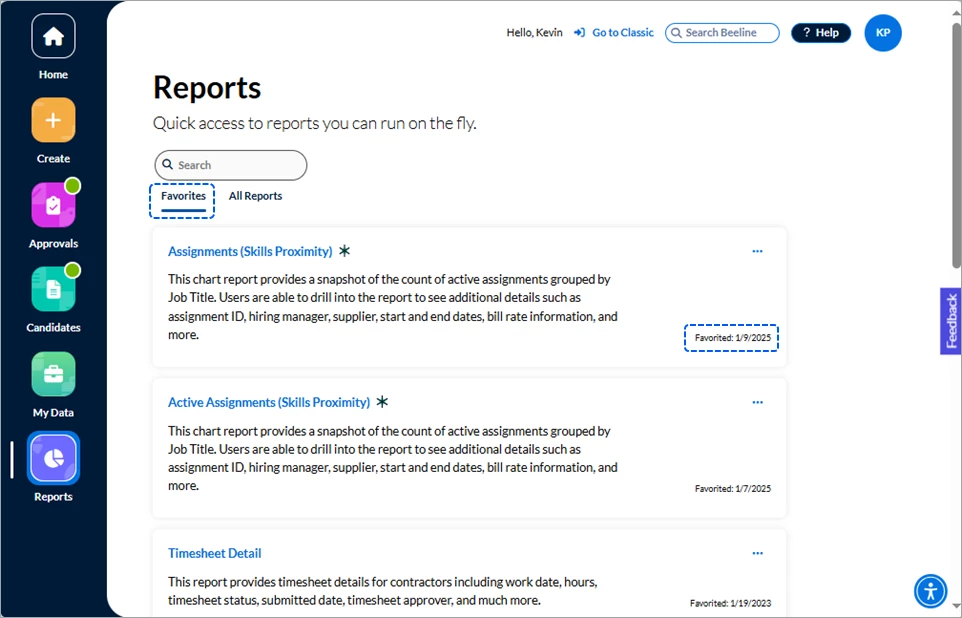
Click the ellipsis (…) to reveal the options list. You can Remove Favorite or Edit Report. Removing a Favorite does not remove the original version from the “All Reports” list, only the copy you made. Notice that the Favorites list also displays the date the Favorite version of the system report was created. The asterisk icon (*) identifies those reports that are recommended by the Program Office
♦ Edit Report
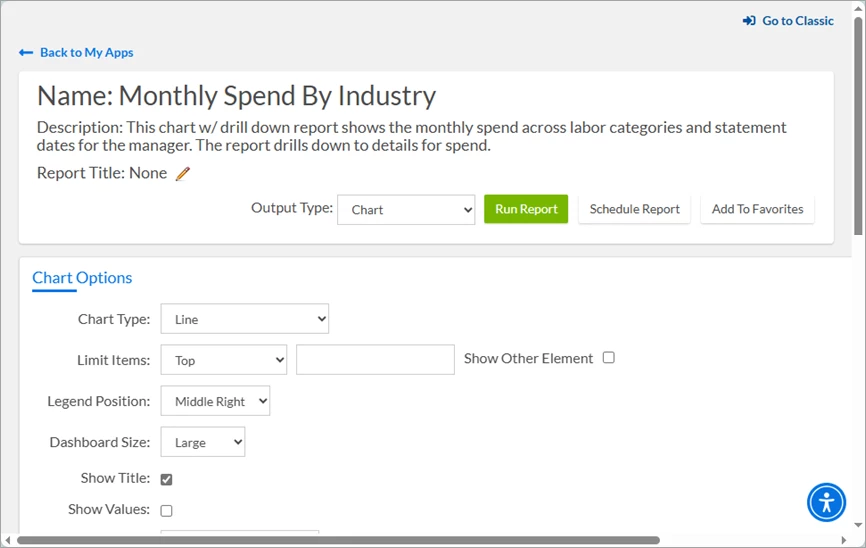
Click Edit Report and the system will navigate you directly to the Beeline Enterprise Report Builder. If you have never used Report Builder, take the time to click through the Showcase Tour to become familiar with the range of features and variety of tools. A collection of video tutorials for various reporting features is also available in the online Beeline Help. Click Back to My Apps to return back to the Reports app when you’re done.
All Reports
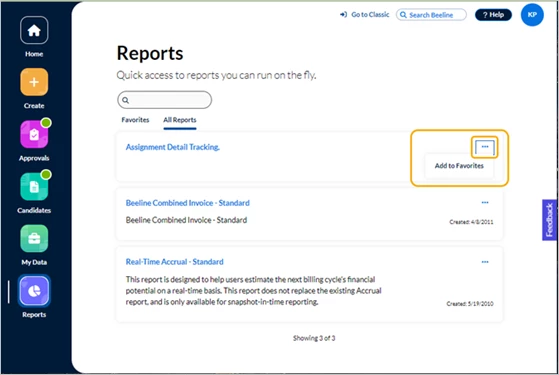
Click the ellipsis (…) to reveal the option to Add to Favorites. Click Add to Favorites and a copy of the report will then post in your Favorites list.
Click the report title to view any report. From the displayed report click Back to My Apps to return back to the Reports screen.
Delegated Reports
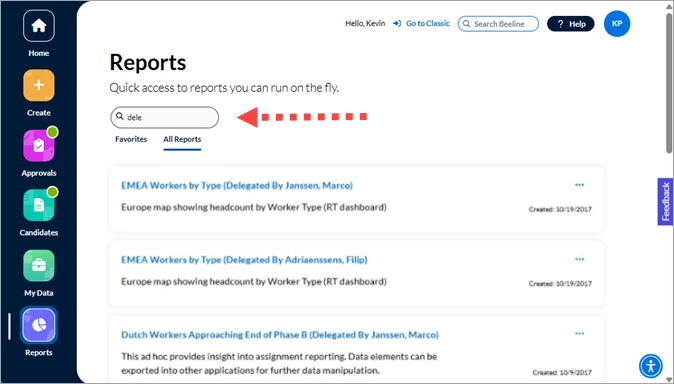
Delegation settings include the ability for the Delegator to specify if the Delegate can view reports on their behalf. These Delegate reports are generated as a copy of the Delegator’s report. To retrieve a delegated report, simply type delegated in the <search> field, and a list of all your delegated reports will display on the screen. Click the report title to navigate directly to any report.
| Persona | Module | Date Posted | Feedback? Email us: |
| Hiring | HMX | Beeline Enterprise |