


Approve SOWs faster with clear, efficient insights
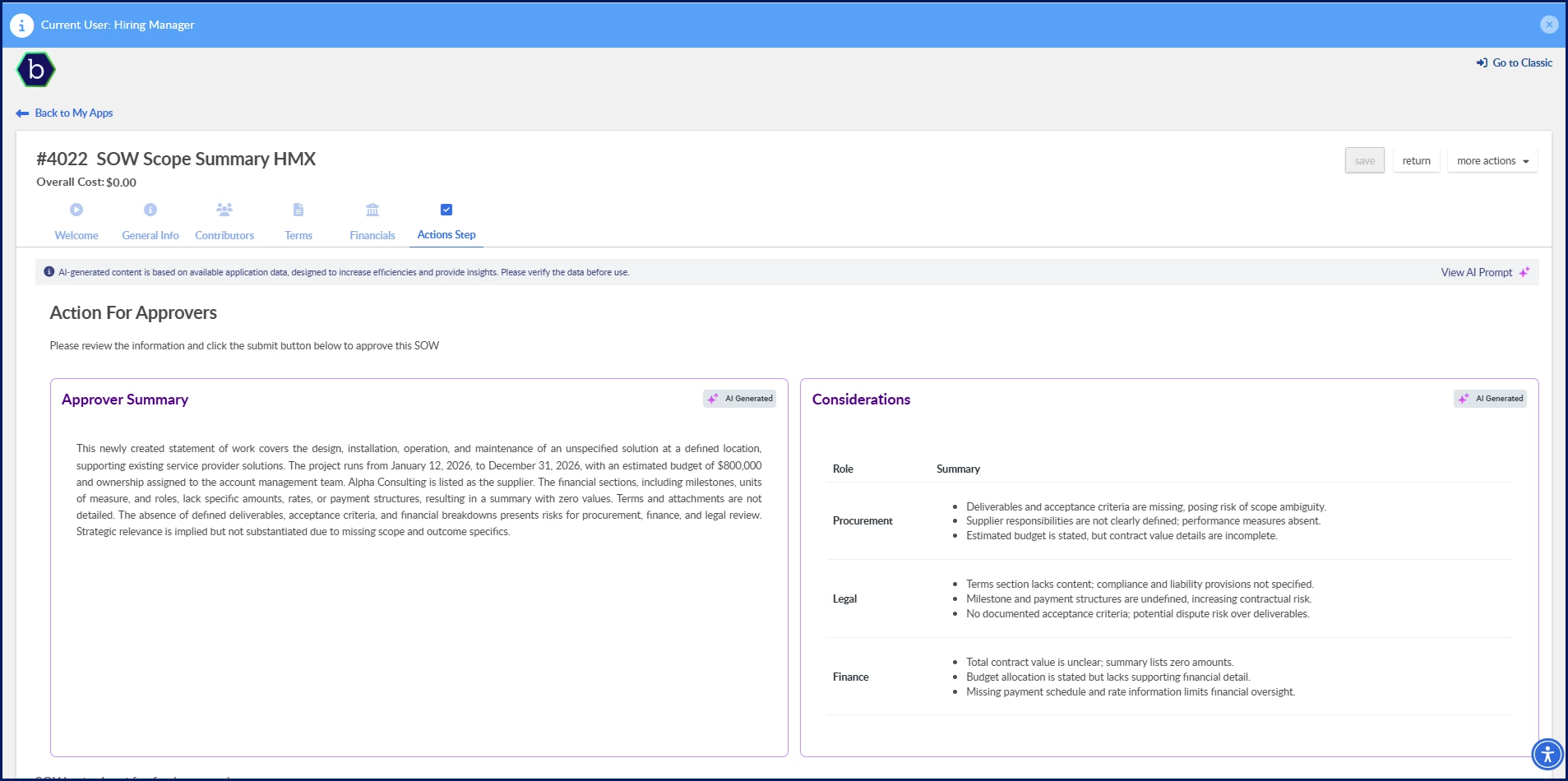
The SOW Scope Summary feature uses AI to extract and present key details from a Statement of Work so you can quickly understand scope, financials, and role‑based considerations. You get a concise summary directly in your approval workflow, along with optional role‑specific insights to help you evaluate risk, alignment, and completeness before approving.
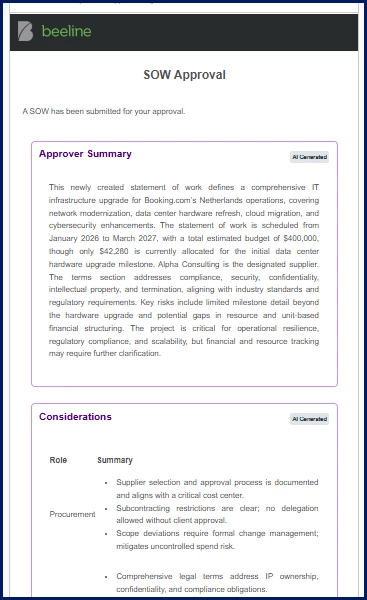
You can also instantly view the AI-generated SOW Scope Summary in any Advanced Notification Template emails set up for your program.
Why it matters
- Accelerates approval cycles by reducing the time approvers spend reading lengthy, detailed SOW documents.
- Reduces risk of oversight by surfacing the scope, financials, and critical terms that are often buried deep in SOWs.
- Improves decision confidence by giving approvers clear visibility into essential SOW elements instead of relying on manual interpretation.
- Strengthens compliance and alignment by ensuring approvers can quickly validate expectations, responsibilities, and standards.
How it helps
- Provides an AI‑generated summary that highlights scope, objectives, terms, and financials in a concise, scannable format.
- Surfaces role‑based considerations for procurement, legal, and finance, helping you identify risks or gaps early in the process.
- Offers configurable visibility options so you can display summaries and considerations on the SOW screen, in notifications, or both.
- Supports higher‑volume operations by reducing manual review effort, enabling faster and more scalable approval workflows.
Persona
Program office users, SOW approvers
Action required
The SOW Summary feature must be set up in Enterprise before you can take advantage of the AI-generated content.
How to steps
Information in this article reflects a standard Enterprise configuration. Your Enterprise platform is based on your organization’s configuration. Settings and/or data visibility rules may vary slightly from what is described.
To accomplish your task, complete these steps from your Enterprise dashboard.
- Open an SOW awaiting approval.
- Navigate to the Actions Step tab. You’ll see a concise overview of the SOW content—scope, objectives, inclusions/exclusions, attachments, and risks—automatically extracted by AI.
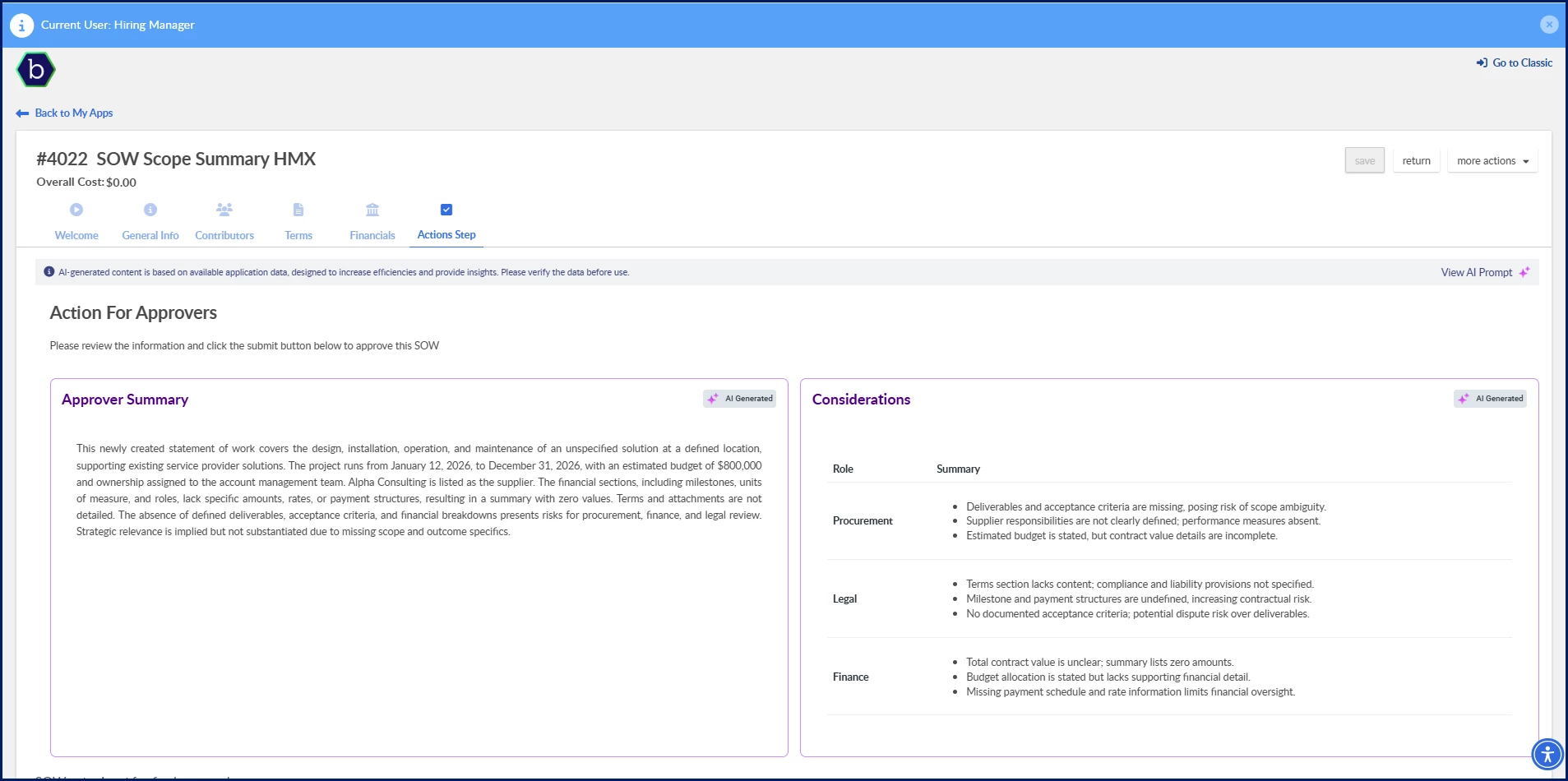
- To the right of the summary, you’ll see insights for Procurement, Legal, and Finance—each with the most critical observations highlighted to support your decision.
- If a risk or inconsistency is flagged, you can open the full SOW document to review SOW details or deep‑dive into financials, milestones, terms, and deliverables.
- Once satisfied, take additional action directly from the SOW Approval page. The workflow is designed to let you act quickly with confidence.
| Persona Program office users, SOW approvers | Modules Artificial Intelligence Services Procurement | Documentation release Beeline Enterprise | Q1 2026 | Feedback? Email us: |