


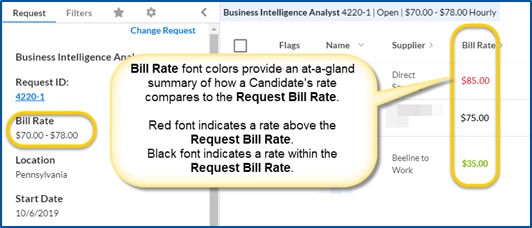
Candidate Evaluation is automatically available with the Contingent Staffing module in Beeline Enterprise. As a Beeline Enterprise Administrator, you can choose to turn on bill rate colors in Candidate Evaluation via self-service.
To turn on bill rate colors, complete these steps from your Enterprise dashboard.
-
Select Preferences > VMS Settings > Contingent Staffing. A Contingent Staffing page displays.
-
Select the Candidate Evaluation Configuration link. A Candidate Evaluation Configuration page displays.
-
Select Yes from the Enable Bill Rate Colors list.
-
Select OK to save your settings and return to the Contingent Staffing page.
Colors help users identify rate variances when they view rate details in Candidate Evaluation.
Documentation release: Beeline Enterprise | Q1 2020