


As an approver, you can edit cost allocation details on an expense before approving it and help your program track costs accurately. For example, you may need to remove a cost allocation code from an expense because it wasn’t valid on the date the expense occurred.
Prerequisite: Your Enterprise site must be configured to allow you to edit cost allocation details.
Information in this article reflects a standard Enterprise configuration. Your Enterprise platform is based on your organization’s configuration. Settings and/or data visibility rules may vary slightly from what is described.
To edit cost allocation details on an expense before you approve it, complete these steps from your Enterprise dashboard.
This topic shows you how to edit cost data from Beeline Classic on an expense that uses a unit cost distribution.
If you’re starting in the Hiring Manager Experience, use the Go to Classic link at the upper right of the Home page.
- From your My To Do quadrant, select the link to expenses pending approval. An Approval Central page displays.
- Select the Standard Items link to refresh the page.
- Expand the Arrow to the left of the contingent talent’s name for whom you want to review expenses.
- On the row showing the expense you want to review, select the Edit icon. An Edit Cost Allocation dialog displays.
- Modify the cost allocation details as needed.
TIP: You cannot alter the amount submitted on an expense; you must reject the expense.- If the expense has a percentage cost distribution, you can update all cost segments and the share of the expense distributed to each cost allocation string. The dollar amount of the expense is distributed across the strings based on the assigned percentage.
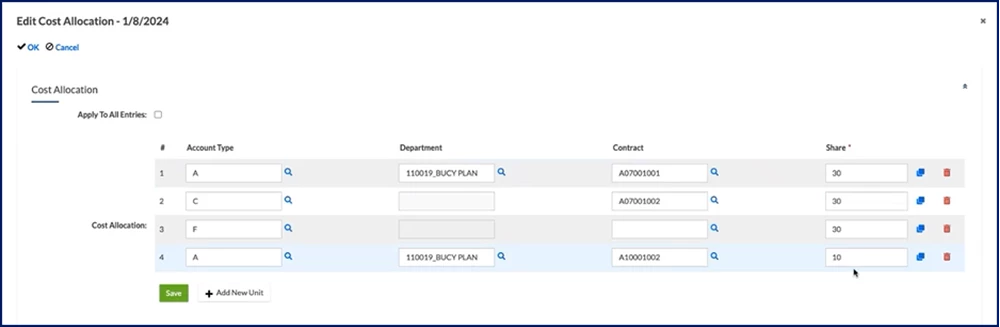
Editing percentage cost allocations on an expense - If the expense has a unit cost distribution, you can update all cost segments and the portion of an expense distributed to each cost allocation string.
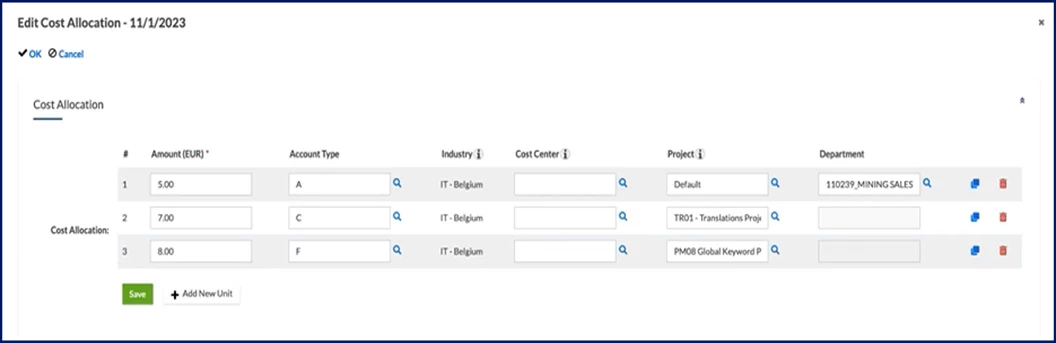
Editing unit cost allocations on an expense - If the expense has an amount cost distribution, you can update and cost segments and the monetary value of an expense distributed to each cost allocation string.
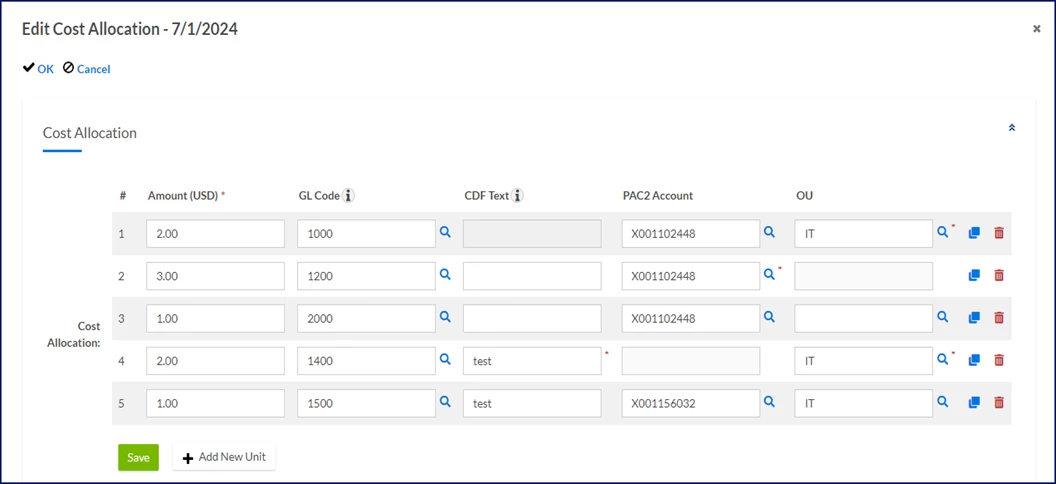
Editing amount cost allocations on an expense
- If the expense has a percentage cost distribution, you can update all cost segments and the share of the expense distributed to each cost allocation string. The dollar amount of the expense is distributed across the strings based on the assigned percentage.
- Optional: Use the Copy or Delete icons to duplicate or remove a string, respectively.
- Select Save.
Documentation release: Beeline Enterprise | Q4 2024