


Search smarter. Find the right content faster.
The Beeline Community contains product documentation, troubleshooting guidance, release information, FAQs, best practices, and user discussions. Knowing how to search effectively can help you find answers faster, reduce time spent researching issues, and discover related content that can help you work more efficiently.
Looking for answers instead of search tips?
Visit Find answers faster: Make the most of the Knowledge Base for common questions, helpful tips, and information that users frequently search for.
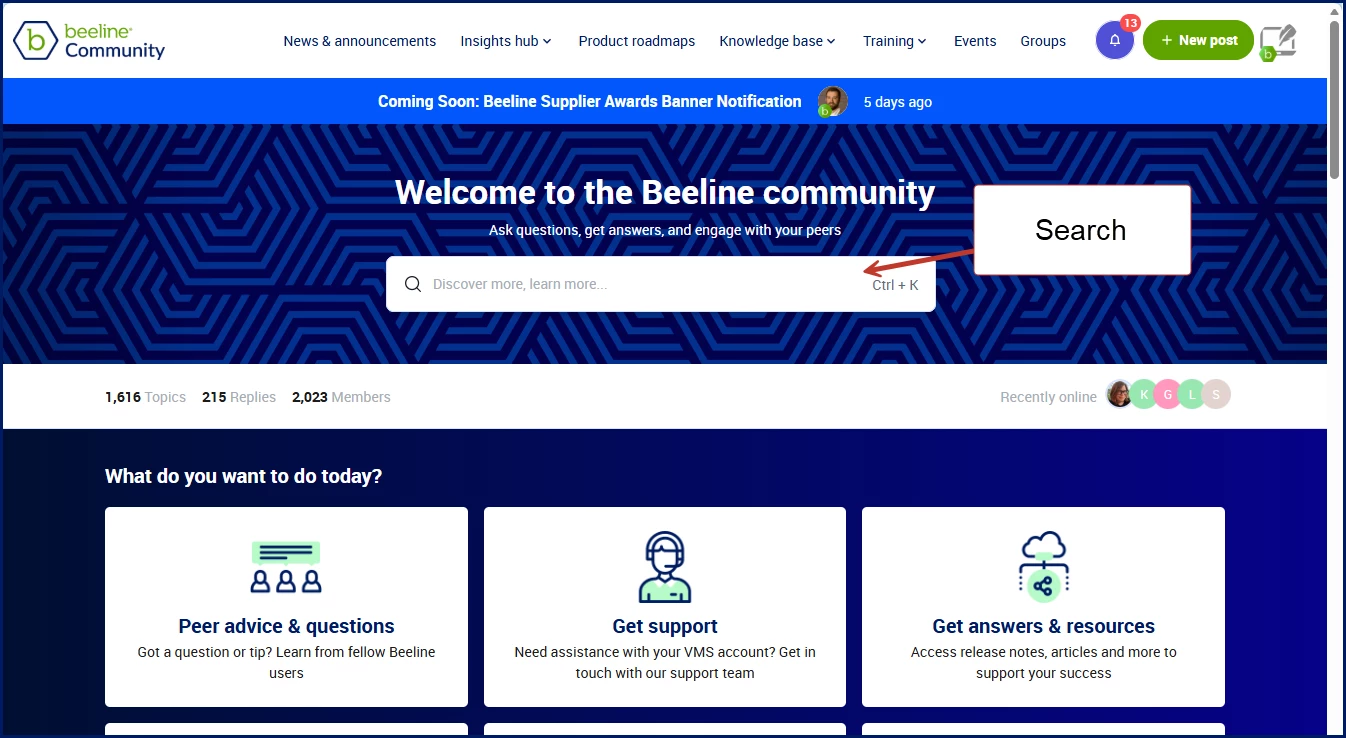
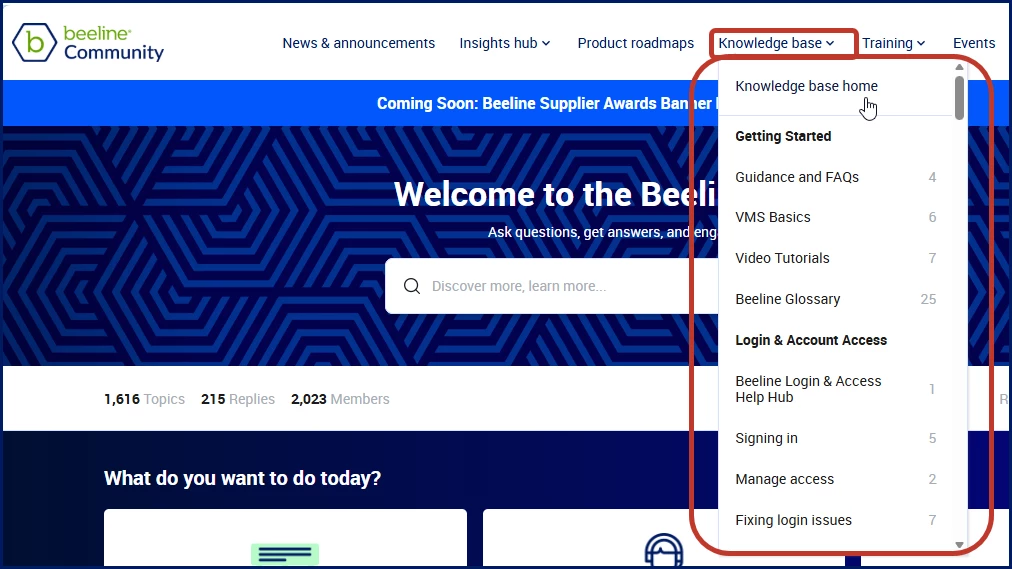
Jump to what you want
Why search matters
| Benefit | How it helps |
|---|---|
| Spend less time searching and more time getting work done. |
| Find troubleshooting guidance, documentation, and known solutions. |
| Learn about features, processes, and best practices you may not have known existed. |
| Find release information and product updates. |
| Use AI Answers to surface relevant information quickly. |
Getting started
| If you want to... | Try this |
|---|---|
|
|
|
|
|
|
|
|
|
|
|
|
|
|
Community features that can help
The Beeline Community includes built-in tools that help you find information faster and stay informed.
| Feature | How it helps |
|---|---|
|
|
|
|
|
|
|
|
|
|
These features work together to help you move from searching to finding, and from finding to discovering more relevant content.
Use AI Answers effectively
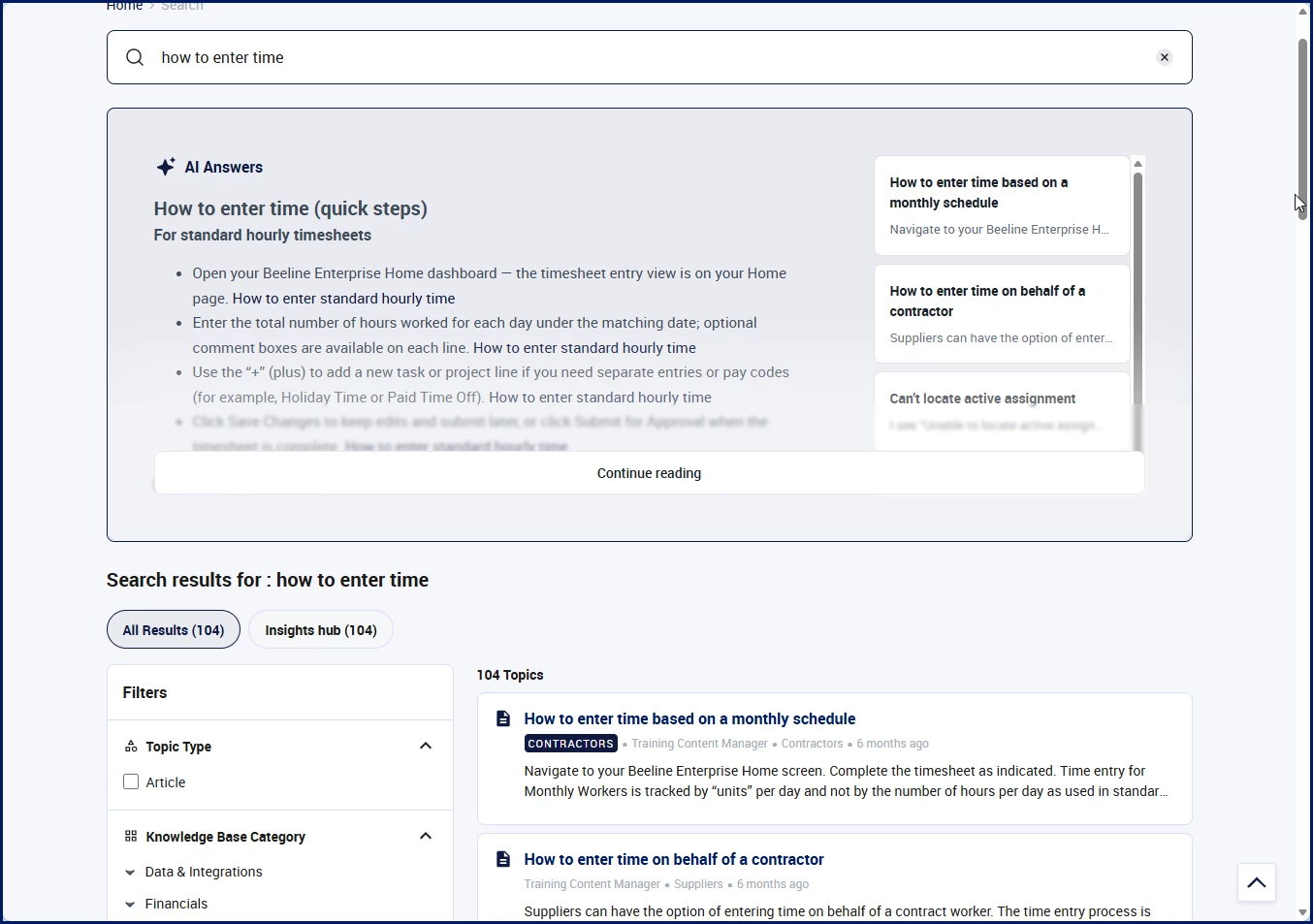
AI Answers can summarize relevant Community and Knowledge Base content and provide links to supporting sources.
🔷Search smarter
Best practices
- Ask complete questions.
- Describe what you're trying to accomplish.
- Include page names, feature names or error messages.
- Add context about the task you're performing.
| Less effective | More effective |
|---|---|
|
|
|
|
|
|
|
|
If the answer isn't what you expected, try rephrasing your question or adding more context.
Review the supporting sources provided with AI Answers for additional details and related information.
Understand where you're searching
🔷Why this matters
Where you start your search affects the results you see.
| Search location | Results include |
|---|---|
|
|
|
|
|
|
💡 If you're unsure where content might be located, start from the Home page for the broadest results.
Search by task or goal
Instead of searching for a feature name, search for what you're trying to accomplish.
Examples
- Create a requisition
- Approve a timesheet
- Submit a candidate
- Extend a worker assignment
- Review an invoice
- Update worker information
Searching by task often returns more useful results than searching for a general product term.
Use terms you see in Beeline
Include page names, menus, buttons, statuses, and field labels that appear in Beeline.
Examples
- Time Entry
- Assignment Details
- Invoice Review
- Worker Search
Using application terminology can help surface more targeted content.
Search using exact phrases
🔷View examples
When searching for a specific error, status, page title, or button label, use the exact text displayed.
| Examples |
|---|
|
|
|
You can also place quotation marks around a phrase to search for those words together.
Try alternate terms
🔷View suggestions
Different organizations may use different terminology for the same process.
| Search for | Also try |
|---|---|
| Engagement, placement |
| Applicant, submission |
| Manager, approver, supervisor |
| Billing, supplier invoice |
| Worker, contractor |
| Vendor, staffing partner |
| Timecard, time entry, time |
| Login, user profile |
| Contractor, resource |
💡If your first search doesn't return useful results, try another term that describes the same process, role, or task.
Use search results effectively
🔷Discover how
After searching, review the results page to find the most relevant content.
You can:
- Open articles, discussions, and other content directly from the results.
- Use filters to narrow your results.
- Refine your search terms if needed.
- Explore related content using tags.
💡If AI Answers doesn't provide the information you need, review the supporting sources and search results for additional details.
Start broad, then refine
🔷View and example
Start with a simple search and add details as needed.
| Less effective | More effective |
|---|---|
|
|
|
|
|
|
Adding context helps return more relevant results.
Use filters to improve results
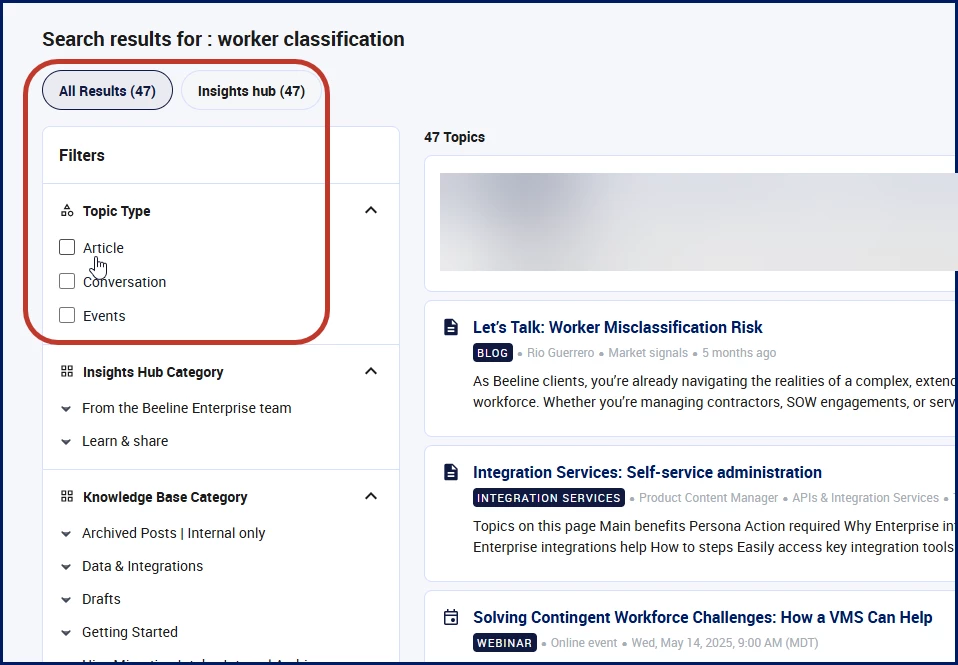
Filters help narrow a large set of results so you can focus on the content most relevant to your needs.
| Benefit | Example |
|---|---|
| Focus on a smaller set of relevant results |
| Show only articles or discussions |
| Filter by category or product area |
| Narrow results after searching for a common term |
Available filters
- Content type
- Category
- Product area
- Tags
- Content source
💡 Start with a broad search, then use filters to narrow the results.
Discover related content with tags
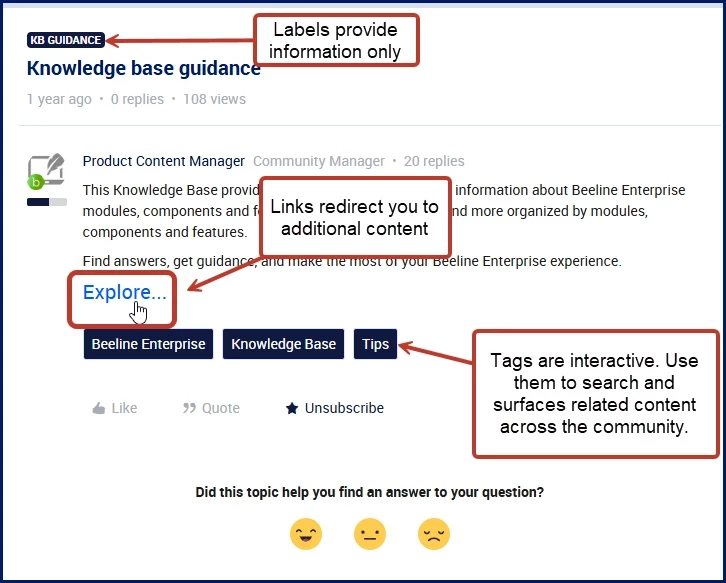
Tags help you find content related to the topic you're viewing.
Selecting a tag automatically runs a search and displays articles, discussions, and other content associated with that topic.
Why use tags?
- Discover additional content on the same topic
- Explore related discussions and articles
- Find information you may not have thought to search for
💡If you find a helpful article, click one of its tags to discover more content on the same subject.
Follow content you're interested in
🔷See how
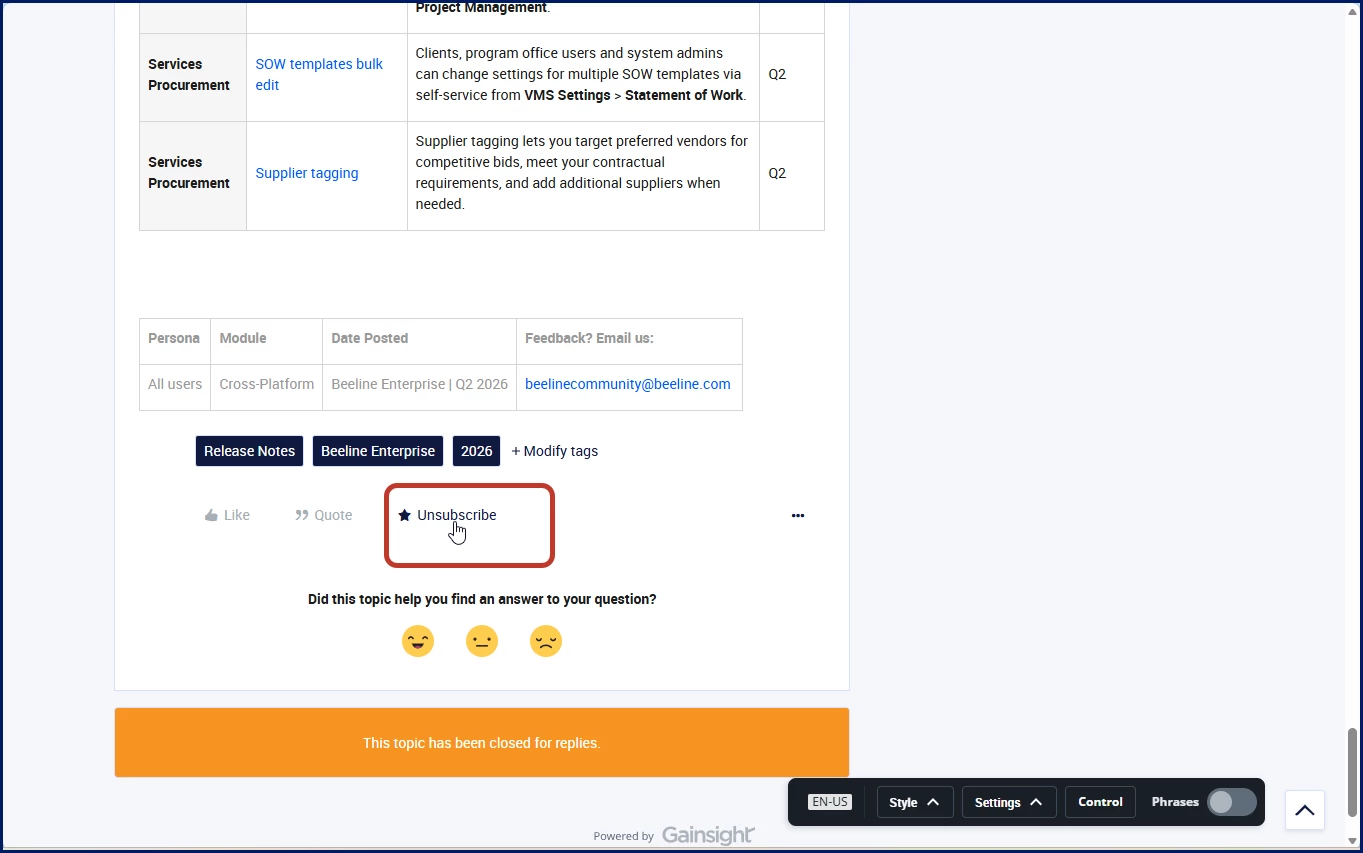
Want to stay informed about a topic or question?
Use Subscribe to receive notifications when an article, discussion, or thread is updated.
Great uses for subscriptions
- Following an open question
- Tracking a product topic
- Monitoring updates to a helpful article
- Staying informed about an ongoing discussion
Provide feedback on content
🔷Discover how it helps
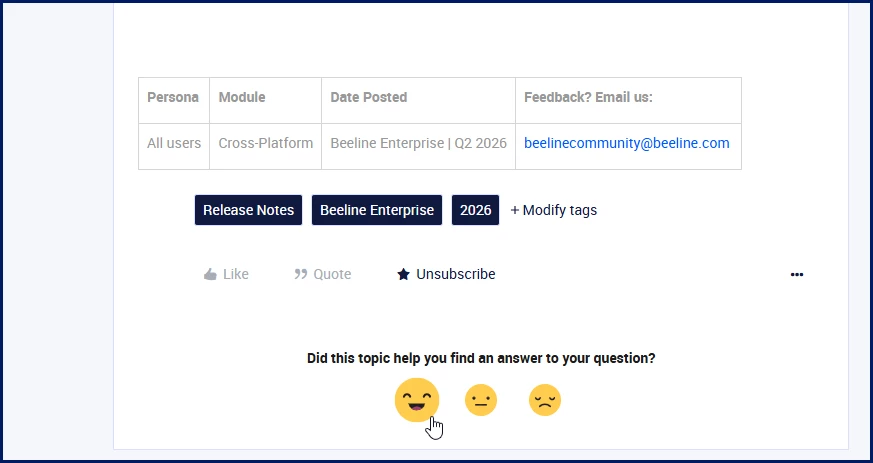
Feedback icons let you quickly indicate whether an article was helpful.
Why provide feedback?
Your feedback helps:
- Identify content that is useful and effective
- Highlight articles that may need improvement
- Help the Community team prioritize content updates
- Improve the overall Community experience
When should you use feedback icons?
Provide feedback after:
- Finding the answer you needed
- Following an article's instructions
- Discovering outdated or unclear information
- Reviewing content that was missing important details
💡If an article doesn't answer your question, consider providing feedback and reporting the content gap so it can be reviewed and improved.
Tips for better results
Think of your search as a short description of your situation.
| Include... | Example |
|---|---|
|
|
|
|
|
|
Example search
Approve a timesheet in Time Entry and receiving Access Denied
This type of search often produces better results than searching for a single keyword such as timesheet.
How results are ranked
🔷View the criteria
Search results are displayed by relevance rather than by date or content type.
Relevance may be influenced by factors such as:
- Matching search terms
- Content quality
- Solved answers
- Recent updates
- Community engagement
As a result, the newest content may not always appear first, and the first result may not always be the newest article.
Still not finding what you need?
Try the following:
- Search from the Community Home page.
- Use broader or simpler keywords.
- Try alternate terminology.
- Search for the task you're performing.
- Ask your question using AI Answers.
- Use filters to refine your results.
- Click tags on related content to discover additional resources.
Help improve Community content
Before reporting missing content, consider using the article feedback icons to indicate whether existing content was helpful.
Report missing content
If your search doesn't return helpful results, or if you believe content is missing, you can:
- Ask your question in the Community.
- Contact your support team.
- Email beelinecommunity@beeline.com.
Why report missing content?
Your feedback helps:
- Identify content gaps.
- Improve AI Answers.
- Expand the Knowledge Base.
- Make information easier for other users to find.
Need more than search tips?
Explore Find answers faster: Make the most of the Knowledge Base for frequently asked questions, troubleshooting guidance, and other helpful resources.
Need help?
The Community is designed to help you find answers quickly, but you don't have to search alone. Use AI Answers, explore related content, ask questions, subscribe to topics that matter to you, and share feedback when content is missing. Every question helps improve the experience for the entire Beeline Community.