


Quickly manage and update which supplier POCs receive communications.
Topics on this page
Keeping suppliers informed is critical for a successful competitive bid. As a competitive bid owner, you can quickly designate additional supplier points of contact (POCs) when inviting suppliers to participate in a competitive bid in Beeline Enterprise.
POCs you designate on a competitive bid receive notes sent to suppliers and any Advanced Notification Templates associated with the competitive bid workflows.
Main benefits
-
Prevent delays by ensuring multiple supplier representatives receive bid communications and updates.
-
Ensure uninterrupted bid participation and that all parties receive essential communications.
-
Minimize review time impacts with broader coverage and fewer communication gaps.
-
Increase supplier collaboration by efficiently notifying and communicating with multiple supplier agents.
Persona
Competitive bid creators, program office users and suppliers
How to steps: designating additional supplier POCs
Part of creating a competitive bid includes inviting suppliers to the process. When you invite a supplier to participate in a bid, you also identify a POC for each supplier you invite. Plus, you can specify an additional supplier POCs.
To designate additional supplier points of contact, complete these steps from a Competitive Bid dashboard.
- Select the Invite Suppliers tab.
- From the Supplier Name list, choose a supplier.
- From the Point of Contact list, choose a delegate for the supplier.
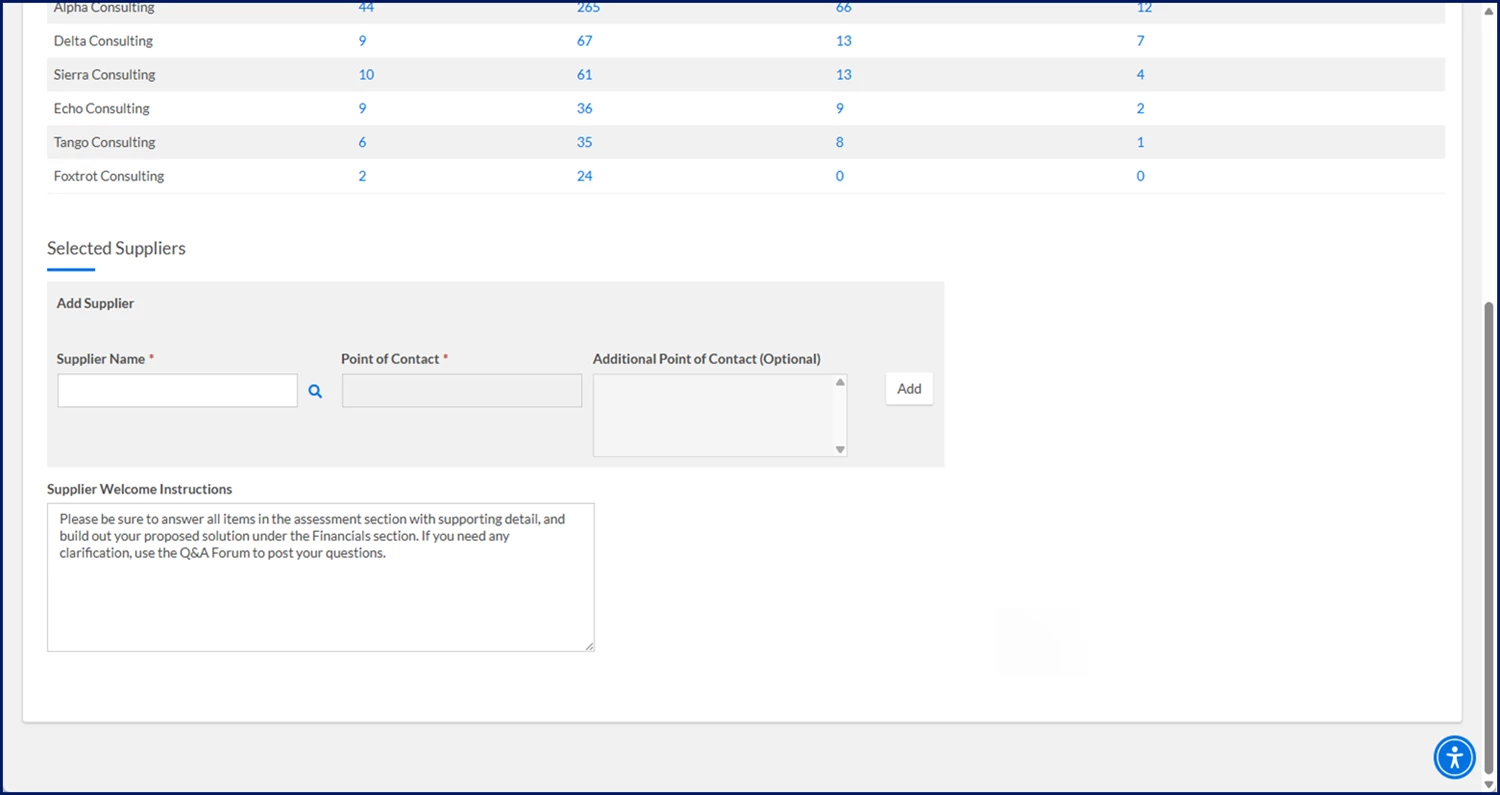
- Optional. To add another supplier point of contact, complete these steps.
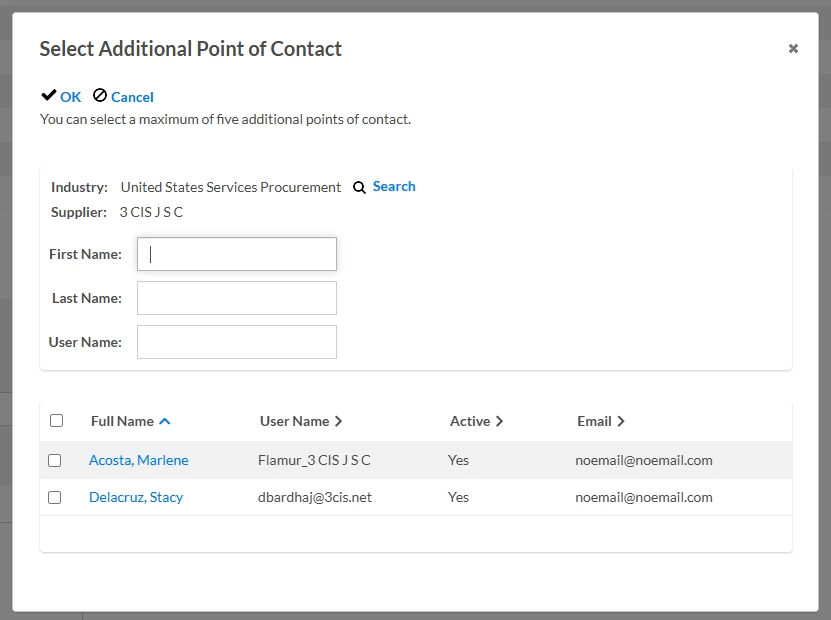
- Select the Additional Point of Contact Search icon. The Select Additional Point of Contact dialog displays.
- Select the checkbox next to the name of the alternate delegate you want to add.
- Select OK to exit the dialog.
- Select the Additional Point of Contact Add icon
- Complete the remaining required fields to continue building your competitive bid following your organization’s processes.
How to steps for suppliers: changing the supplier POCs
As a supplier, you may be invited to participate in a competitive bid. When you’re invited, a primary POC for your company is identified. In addition, supplementary POCs may be designated. As a designated POC, you’ll receive notes sent to suppliers and any Advanced Notification Templates associated with the competitive bid workflows.
Sometimes, you may want to modify the POCs associated with a competitive bid. You can quickly do so from a Competitive Bid dashboard.
To change the supplier points of contact, complete these steps from a Bid dashboard.
- Select the Assign Point of Contact option from the Bid Menu. A Select Point of Contact dialog displays.
- Highlight and then delete the name displaying in the Point of Contact field. A list of current active vendors displays.
- Update or allocate new points of contact.
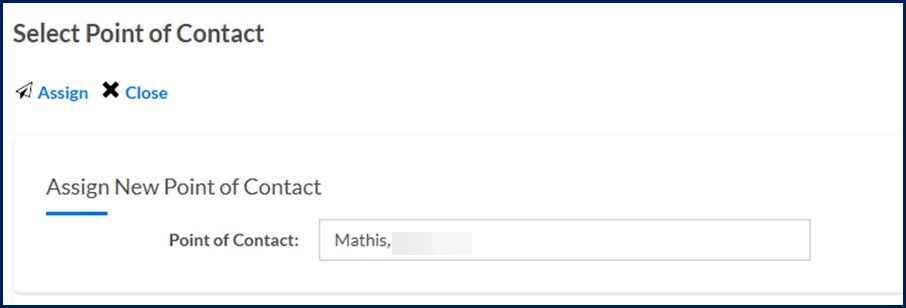
- Select Assign to add the POC. The Select Point of Contact dialog closes and the new POCs are updated in the bid.
Action required
This enhancement is automatically available in the Competitive Bid component of your Services Procurement module.
Documentation release: Beeline Enterprise | Q2 2025