Supplier users with admin rights can unlock supplier user accounts. There are a number of reasons why a user can become locked out of their account. Being able to get assistance from a Supplier Admin is a quick and efficient way to restore system access and manage your internal staff and resource pool.
This content reflects non-client specific Beeline Enterprise functionality which may vary from what you see when logged into Beeline Enterprise depending on any client-specific settings or adjustments.
- Navigate to your Beeline Enterprise Home screen.
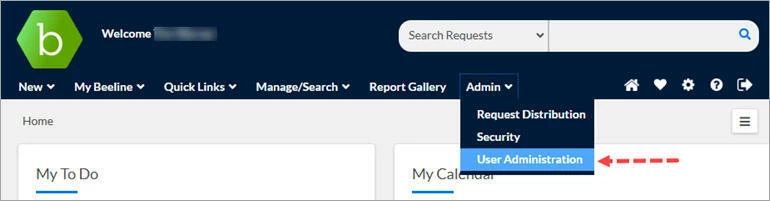
- Click the Admin drop-down arrow located in the Header Menu bar and select User Administration. The User List page displays.
- Enter identifying information for the locked user account, then, click Search.
- Click directly on the name in the results list. The View User Details – Summary page displays.
- Click Unlock Account. The Unlock Account tab mutes to gray and the lock icon switches back to “open”.
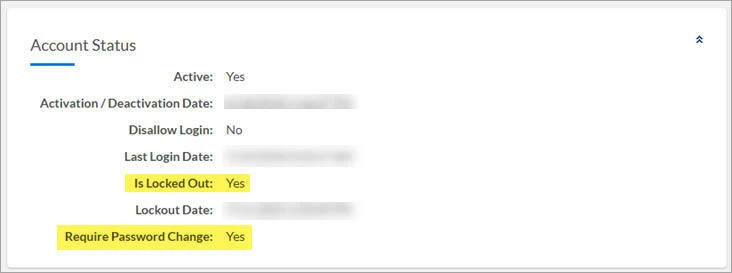
It’s always wise to check if the user also needs a password reset. Frequently, the reason for a locked account is that the user made too many failed password attempts.
The Account Status section will indicate if a password reset is needed.