


Persona
Clients, program office users and system administrators
How to steps
Information in this article reflects a standard Enterprise configuration. Your Enterprise platform is based on your organization’s configuration. Settings and/or data visibility rules may vary slightly from what is described.
As a program office user, you may unlock a user’s Beeline Enterprise account. You can easily accomplish that task from the Users page.
From the Users page, you can easily access all user profiles from a single list—regardless of user group, such as clients, MSPs, resources, and suppliers.
Verify whether the user’s account is lock from the Action bar at the top of the View User Details - Summary page or from the Account Status section.
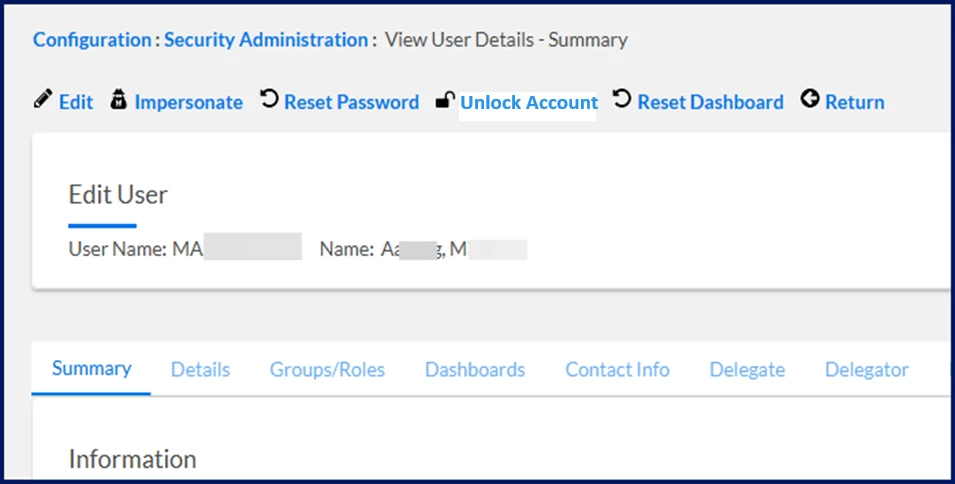
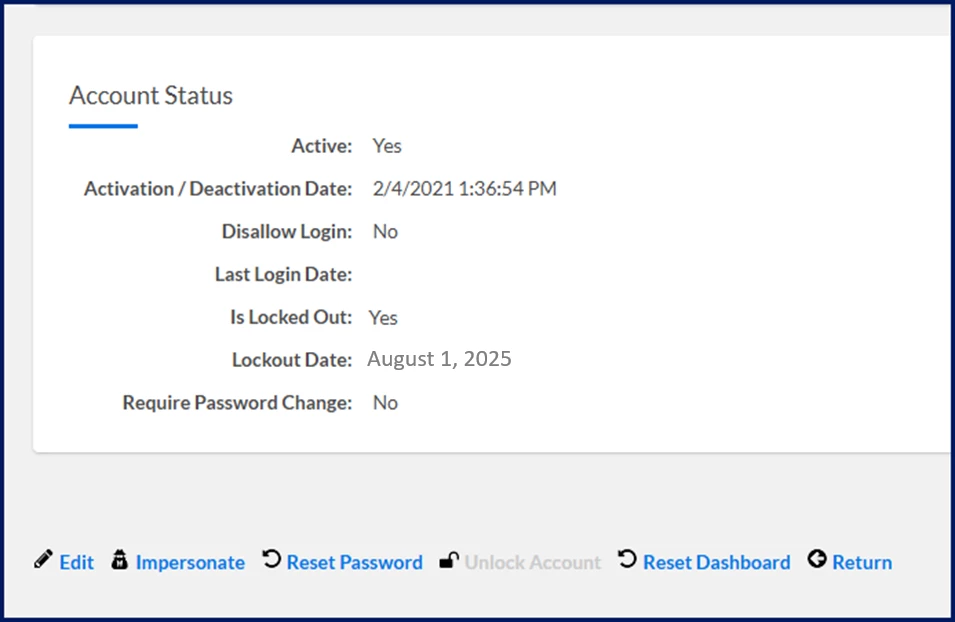
Beeline Best Practice. Determine if the user also needs a password reset. Frequently, a user’s account may become locked due to too many failed password attempts. Find out how to reset a password.
To accomplish your task, complete these steps from your Enterprise dashboard.
-
From the top Navigation menu, select Admin > Security. A Security Administration page displays.
-
From the left Navigation panel, select the Users folder.
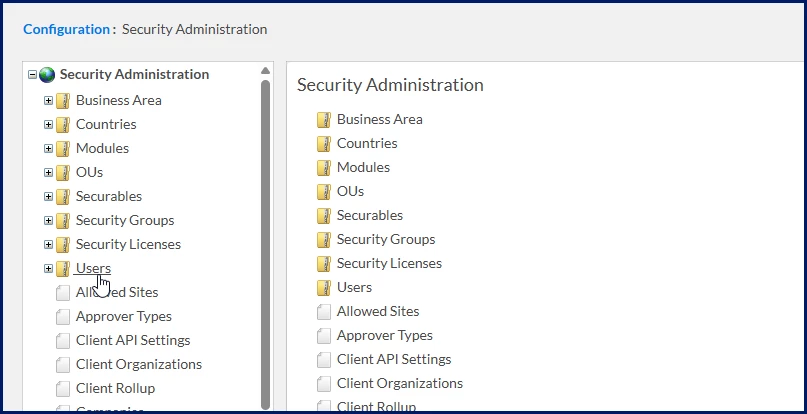
A Users page displays.
-
Use the fields on the Users page to enter identifying information about the user, and then select Search.
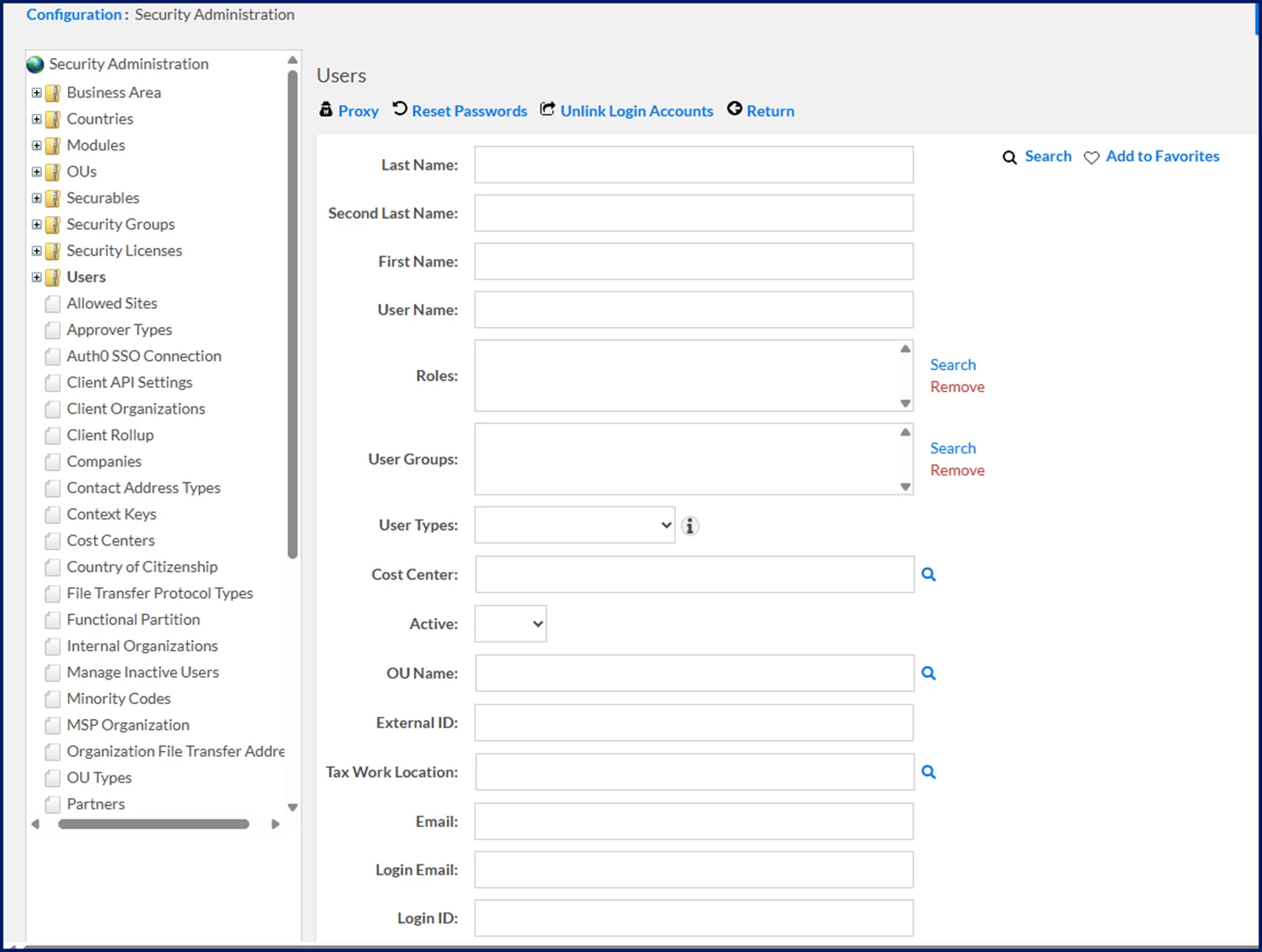
Search Results display at the bottom of the Users page.
-
From the Search Results, select the Name link for the user whose account you want to unlock. A View User Details - Summary page displays.
-
From the Actions menu, select Unlock Account. A message displays indicating the account is unlocked and the Lock icon shows Open.
-
Select Return to go back to the Users page.
-
Select the site logo in the upper left corner to return to your Enterprise dashboard.
Documentation release: Beeline Enterprise | Q3 2025