


Make sure all relevant users receive competitive bid communications
As a supplier, you may be invited to participate in a competitive bid. When you’re invited, a primary point of contact (POC) for your company is identified. Supplementary POCs may also be designated. As a designated POC, you’ll receive notes sent to suppliers and any Advanced Notification Templates associated with the competitive bid workflows.
Sometimes, you may want to modify the POCs associated with a competitive bid. You can quickly do so from a Competitive Bid dashboard.
Information in this article reflects a standard Enterprise configuration. Your Enterprise platform is based on your organization’s configuration. Settings and/or data visibility rules may vary slightly from what is described.
To change the supplier points of contact, complete these steps from a Bid dashboard.
-
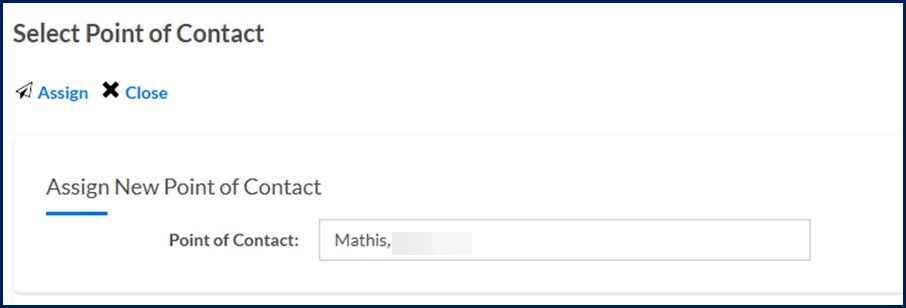
Select the Assign Point of Contact option from the Bid Menu. A Select Point of Contact dialog displays.
-
Highlight and then delete the name displaying in the Point of Contact field. A list of current active vendors displays.
-
Update or allocate new points of contact.
-
Select Assign to add the POC. The Select Point of Contact dialog closes and the new POCs are updated in the bid.
Documentation release: Beeline Enterprise | Q2 2025